One TypeScript file. A whole backend.
Define data, access and logic in easy-cms.config.ts. You get a database, a typed API and REST, sign-in, files, jobs and an admin at /admin.
npm create easy-cms@latest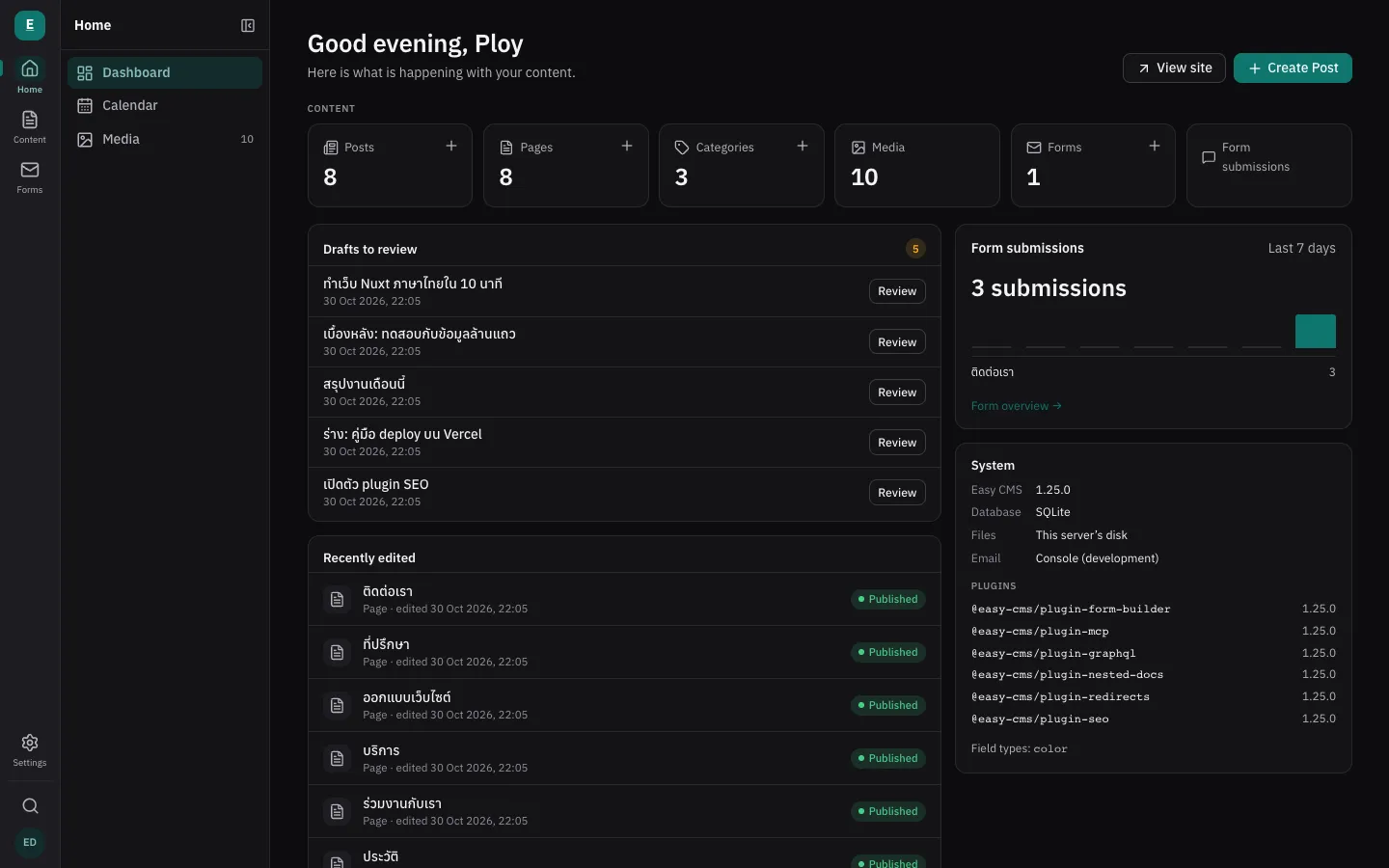
hooks: { beforeChange: [checkSlotIsFree] },
access: { delete: ({ user }) => user?.role === 'admin' },
actions: [{ name: 'remind', run: sendReminder }],
// bookings: admin, REST, typed API and jobs from here Next.js
 Nuxt
 Node.js
 Bun
 Deno
 Cloudflare Workers
 Vercel
 Docker
 PostgreSQL
 SQLite
 Turso
- npm downloads in total
- 29,241
- releases since 1.0 on 17 Oct
- 48
- tests on every pull request
- 1,200+
- features behind a paywall
- 0
Three files and your app has a backend.
Describe collections and fields in TypeScript. The admin forms, validation, access rules and the typed API are built from that one file.
import { defineConfig } from '@easy-cms/core'
import { postgres } from '@easy-cms/db-postgres'
import { seoPlugin } from '@easy-cms/plugin-seo'

export default defineConfig({
  secret: process.env.EASY_CMS_SECRET!,
  db: postgres({ url: process.env.DATABASE_URL! }),
  localization: { locales: ['en', 'th'], defaultLocale: 'en' },
  collections: [
    {
      slug: 'posts',
      drafts: true, versions: true, schedule: true,
      useAsTitle: 'title',
      fields: [
        { name: 'title', type: 'text', required: true, localized: true },
        { name: 'slug', type: 'slug', from: 'title' },
        { name: 'body', type: 'richText', localized: true },
      ],
    },
  ],
  plugins: [seoPlugin({ collections: ['posts'] })],
})
// app/admin/[[...path]]/route.ts
import { createAdminRouteHandlers } from '@easy-cms/next'
import config from '@/easy-cms.config'
export const { GET, HEAD } = createAdminRouteHandlers(config)
// app/api/cms/[[...path]]/route.ts
import { createRouteHandlers } from '@easy-cms/next'
import config from '@/easy-cms.config'
export const { GET, HEAD, POST, PATCH, PUT, DELETE, OPTIONS } =
createRouteHandlers(config)
// next.config.ts
import { withEasyCMS } from '@easy-cms/next/config'
export default withEasyCMS({ /* your Next config */ })import { getEasyCMS } from '@easy-cms/next'
import config from '@/easy-cms.config'
export const dynamic = 'force-dynamic'
export default async function Posts() {
const cms = await getEasyCMS(config)
const { docs } = await cms.find('posts', { limit: 10 })
return (
<ul>
{docs.map((post) => (
// post.title: string, typed from your config
<li key={post.id}>{post.title}</li>
))}
</ul>
)
}Generated from your config. Ready for your clients.
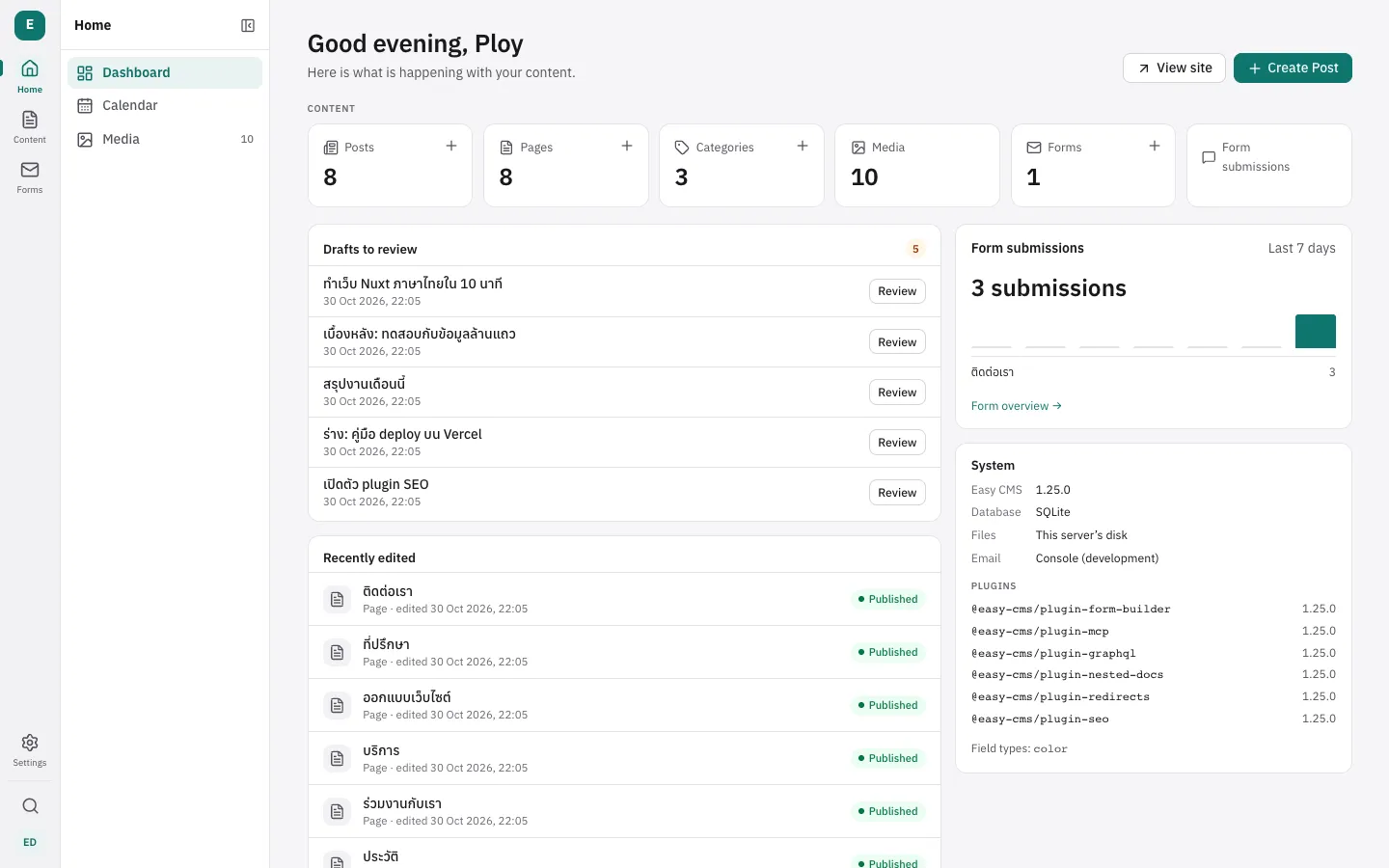
Your clients edit and preview content, give people roles and see who changed what, with AI that writes alt text and translations, and integrations they connect themselves. In English or Thai.
Pick where it runs.
The same config runs on a single VPS, on Vercel, at the edge on Cloudflare Workers or across many containers. Choose by the job.
db: sqlite({ url: 'file:./cms.db' }),
upload: { dir: 'uploads' },
// one process; jobs run every minute by themselvesnpx easy-cms serve --port 3000db: postgres({ url: process.env.DATABASE_URL }),
upload: { storage: vercelBlobStorage() },
// a Vercel cron calls /api/cms/jobs/runvercel deploydb: sqlite({ url: process.env.DATABASE_URL }),
upload: { storage: s3Storage({ bucket, region: 'auto' }) },
// Cron Triggers run the jobs every minutenpx easy-cms build --target workers && npx wrangler deploydb: postgres({ url: process.env.DATABASE_URL }),
upload: { storage: s3Storage({ bucket: 'media' }) },
// sessions, limits and jobs are shared through Postgresdocker run ghcr.io/maritonx/easy-cms:1db: sqlite({ url: 'file:./cms.db' }),
// the same CLI, run by Denodeno run -A npm:easy-cms serveNode.jsBunDenoCloudflare WorkersSQLitePostgreSQLEverything an app needs, from one config file.
A CMS stores content. Most apps also need sign-in, permissions, files, background work and an API. Easy CMS ships them in one MIT package, on your own database.
People
Who signs in and what they may do
Sign-in for staff and members
Passwords, Google, Microsoft, GitHub or any OpenID Connect provider, set in code or the admin.
Roles down to fields
Tick what each role may read, create, change and delete, field by field, with an audit log.
An admin your clients use
Generated from the config, in English and Thai, light and dark. Nothing to design.
Data
Where it lives and how you read it
Your database, real tables
SQLite, Turso or Postgres. Schema changes become migrations you commit and review.
Files and media
On disk, S3, Cloudflare R2 or Vercel Blob. Image sizes, folders and signed links for private files.
REST, GraphQL and a typed API
REST for any client, cms.find() typed from your config in server code.
Logic
What runs when something happens
Jobs, webhooks and email
A queue in your own database with retries and schedules. Nothing else to host.
Actions that run your code
Buttons on a document, a row or many rows that run server code you write.
AI and agents
Claude, GPT or Gemini for alt text and translation; an MCP server for agents (preview).
Others make you choose. Easy CMS doesn’t.
Team features without an enterprise plan, a schema you review in pull requests, and no second server to run. Four things developers ask for, checked against each product’s own site.
| Our pickEasy CMS | Payload | Strapi | Directus | WordPress | |
|---|---|---|---|---|---|
| SSO, roles and an audit log, freeWhat teams pay for first. | MIT, every feature | SSO is an Enterprise plan | SSO and audit logs are Enterprise | No SSO in the free Core | Not confirmed |
| No second server to runOne deploy, one thing to secure. | Inside Next.js or Nuxt, or standalone | Inside Next.js only | A separate Node server | A separate Node server | A separate PHP app |
| The schema is typed codeReviewed in pull requests, typed in your app. | TypeScript config in your repo | TypeScript config in your repo | Built in the admin, saved as files | Built in the studio, YAML snapshots | PHP post types or plugins |
| Admin and docs in ThaiFor Thai editors and the people who pay you. | Every admin string and docs page | Admin near-complete | About a quarter of the admin | Partial, by the community | About two-thirds of the admin |
Easy CMS: 4 of 4. No other product here gets more than one.
Checked against each product’s own site on 17 Oct 2026. The full comparison also says when another product is the better choice.
See the full comparisonYour AI assistant can write it.
The config is typed TypeScript and the docs ship as llms.txt, so Claude Code, Cursor or Copilot write collections, access rules and hooks that compile. Agents reach the data through MCP, under the same roles as people.
 Claude
 Cursor
 GitHub Copilot
Add a bookings collection: customer, service, start time and status. Front desk can create and change bookings; only admins delete them.
const staff = ({ user }) => ['admin', 'front-desk'].includes(user?.role)

{ slug: 'bookings',
  fields: [
    { name: 'customer', type: 'relationship', to: 'customers' },
    { name: 'service', type: 'relationship', to: 'services' },
    { name: 'startsAt', type: 'date', required: true },
    { name: 'status', type: 'select', options: ['waiting', 'confirmed'] },
  ],
  access: {
    create: staff, update: staff,
    delete: ({ user }) => user?.role === 'admin',
  },
}Six levels from CMS to AI-native backend.
3 levels are complete and 3 have parts shipped. Each one says what works today and what is still to build.
- Level 1
Headless CMS
Content, drafts, versions, Thai and English.
Complete - Level 2
Backend as a service
Database, sign-in, files, realtime.
Complete - Level 3
App framework
Typed config, hooks, roles, actions.
Complete - Level 4
Business engine
Shop, tenants, forms. Kanban and templates next.
Building next - Level 5
Durable workflows
Job queue and retries. Long workflows next.
In progress - Level 6
AI-native
AI plugin, MCP preview. Agent approval next.
In progress
Fast at a million documents. Stable since 1.0.
Every night a load test runs Easy CMS against 1,000,000 posts. The times are p95: 95% of requests finish faster.
- posts in one collection
- 1,000,000
- a post by id or slug
- 27ms
- the next page by cursor, however deep
- 37ms
- Thai text search with a trigram index
- 79ms
Easy CMS 1.15 · median of 3 runs · Postgres 17 · GitHub runner, 4 cores · 20 requests at once · 28 Oct 2026
Not everything is fast yet: a page picked by number deep in the list takes seconds (use cursor instead), and so do queries inside blocks. The full results list them. All results and how they are measured
Stable since 1.0
- Breaking changes come only in a major release, each with an upgrade guide.
- A renamed API keeps working until the next major, with a warning.
- Every change is tested against databases made by older releases, on SQLite and Postgres.
- Security fixes reach the previous major for six months after the next one is out.
Before you pick a backend.
What developers ask before they bet a project on Easy CMS. Anything else, ask in GitHub Discussions.
Is it ready for production?
1.0 shipped on 17 October 2026 and releases follow semantic versioning: a breaking change waits for a major version and comes with an upgrade guide. A load test runs every night against a million posts.
Which databases and runtimes does it support?
SQLite, Turso and Postgres. It runs inside Next.js or Nuxt, or as its own server on Node.js, Bun, Deno or Cloudflare Workers.
Is it really free? What is the catch?
Every feature is MIT licensed, including single sign-on, field permissions, the audit log and backups. There is no paid edition. You run it on your own infrastructure.
Do I need Next.js or Nuxt?
No. easy-cms serve runs it as its own server, with REST and an optional GraphQL API for a Vite, React, Vue or static frontend.
Can I move from Payload or Strapi?
There is no import tool yet. Collections are TypeScript, so they map across field by field, and a script can load the data with cms.create().
Who maintains it, and what if it stops?
Easy CMS is an independent open-source project built in the open on GitHub. Your data is in ordinary tables in your own database and the code is MIT, so you can fork it or read the data without Easy CMS.
Build the backend once. Ship any app on it.
Scaffold a project with Easy CMS in about a minute. It is MIT licensed and runs on your own infrastructure.